Schools - Blender - Animate a chemical bond
This series of lessons is designed to introduce students to computer science concepts in the context of using the open source 3D modeling and animation program, Blender.
Lessons are presented to encourage students to process in linear order, as they acquire skills that build on other previously learned skills.
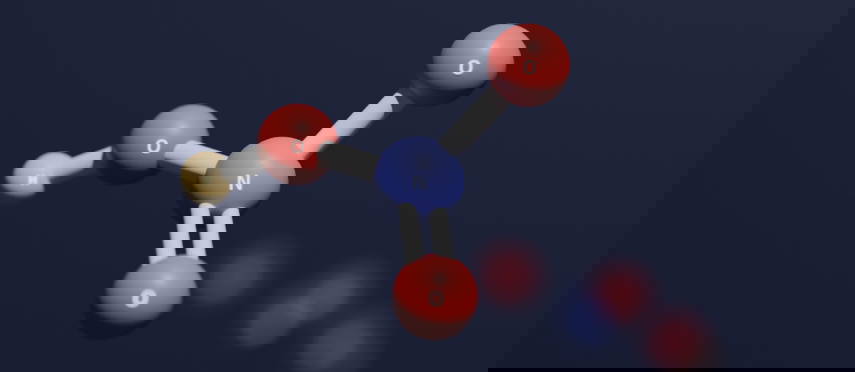
The lessons also work together so a student can complete all six lessons and create the classic ball-and-stick molecular model in 3D, providing an immersive understanding of chemical structures.
The activities lend themselves well in a classroom environemnt, where students can create their own molecules and troubleshoot solutions together.
BY FOLLOWING THIS COURSE YOU WILL BE ABLE TO:
Learn the fundementals for Blender's interface, including modeling, animating, shading and rendering and learn how to use geometry node logic and interface to create a 'Chemical Bond' animation.
ARE THERE ANY REQUIREMENTS OR PREREQUISITES FOR THE COURSE?
There is no prior knowledge required to use Blender if you follow the lessons in a linear manner
TO WHOM THIS COURSE IS ADDRESSED:
Professors who want to introduce Blender into their classes as a tool to teach foundational scientific and math concepts in a visual and interactable form.
-
01
Learn the Basics to Blender’s Interface
In this lesson students and teachers will be guided on how to install blender and get started on learning the basics. For this demonstration, we will go over navigation, hierarchy, naming convention, and introduce the concept of a parent/child constraint with geometry. Once the class is comfortable navigating within Blender, we will learn how to properly save and create a file directory for the project. This will include making a new folder on the student’s machine that both Blender and the student can save files in.
19m 14sFree! -
01
Create your own Molecule
Create a simple molecule in Blender. You will learn modeling and editing objects, applying basic materials, creating a proper outliner hierarchy, and setting up the camera and lighting scene.
12m 36sCourse purchase required -
02
Introduction to Geometry Nodes
Introduction to the geometry node editor and learn how to create the ‘Bond Animation’ function.
20m 14sCourse purchase required -
03
Introduction to Animation
Introduction to animation, timeline and keyframing. Animate a path for your atom assets.
11m 42sCourse purchase required -
04
Create a Trasnparent Material for Atomic Lables
Learn about UV's and texturing to create a transparent texture with letters to represent each atom.
17m 4sCourse purchase required -
05
Render Your Animation
Introduction to render setting and video editor. Learn how to export your animation and turn it into a video for a final product.
11m 28sCourse purchase required