ComfyUI Intermediate
Duration
8 hours of remote training.
When
4 meetings of 2 hours each (balanced between explanation and assisted practice) on: September 15, 2026 at 9:00 PM CEST | September 17, 2026 at 9:00 PM CEST | September 22, 2026 at 9:00 PM CEST | September 24, 2026 at 9:00 PM CEST
Class
Max. 20 students
Price
54 € +
VAT
Course starts on September 15, 2026
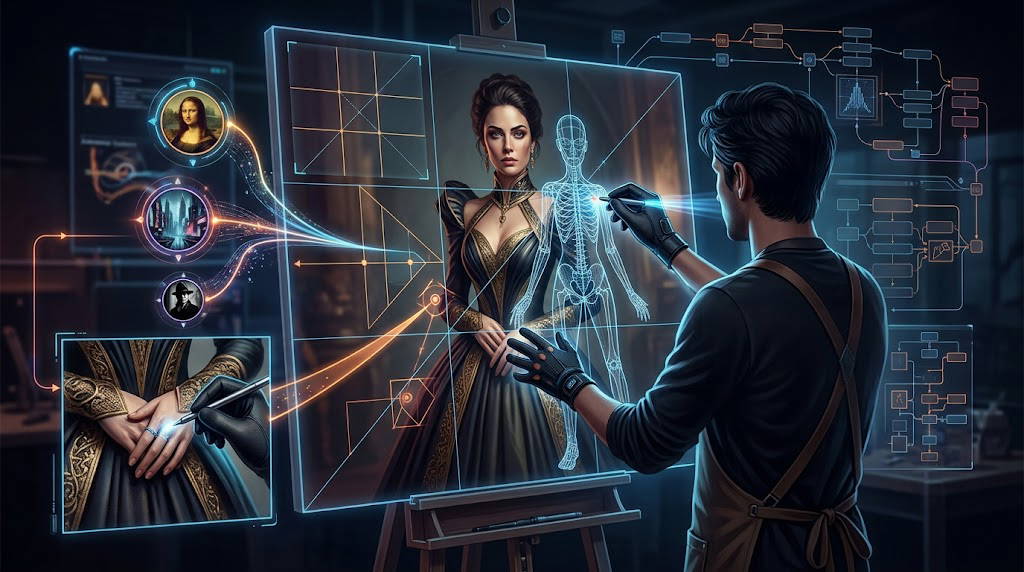
With the basic course, you've mastered Text-to-Image and basic Upscaling. Now it's time to stop hoping the AI will compose the image the way you want it to, and start imposing it. This intermediate course, maintaining an exclusively native approach, will teach you digital direction techniques: you'll set geometric poses, inject specific styles, surgically correct defects, and decide exactly where to place each individual element on the canvas. No external extensions, no code: just pure mastery of the Stable Diffusion architecture.
Note: the course will only start with a minimum of 8 participants.
BY FOLLOWING THIS COURSE YOU WILL BE ABLE TO:
By the end of this 8-hour course, you will have developed complete operational autonomy on the fundamental flows of ComfyUI. Specifically, you will be able to:
🎬 Dictate Scene Geometry (ControlNet)
Manage poses and perspectives: You will stop hoping that the AI will guess the right position. You will know how to use depth maps and geometric skeletons to impose the exact pose of a body or the precise framing of an architectural environment.
Constrain creativity: You will understand how to transform the AI into a perfect performer, giving it mandatory visual guidelines to fill in with SDXL's textual details.
🎭 Creating Tailored Styles and Fixed Characters (LoRA)
Identity Mastery: You will be able to integrate and manage LoRA models to keep a character's face identical across dozens of different generations, a fundamental skill for comics or advertising campaigns.
Stylistic Mixing: You will be able to chain two or more styles together (e.g. vector illustration + cyberpunk palette), bilanciando i pesi matematici nativi per fonderli senza mai "bruciare" o distorcere i colori dell'immagine.
✂️ Perform Visual Micro-Surgery (Inpainting)
Salvare il "quasi perfetto": You will never again discard a beautiful image just because a hand came out badly or there is one element too many.
Localized correction: You will be able to isolate a single detail with native masks and regenerate only that specific area (e.g. changing a shirt from red to blue, or transforming a cat into a dog on a sofa), leaving the rest of the image intact with perfectly consistent lights and shadows.
🗺️ Mastering the Space on the Canvas (Regional Prompting)
Complex Spatial Direction: You will be able to mathematically divide the SDXL canvas (1024x1024) into independent zones.
Multiple Simultaneous Prompts: You will be able to instruct the AI to generate a desert in the upper left quadrant and an ocean in the lower right, blending the edges naturally, using only ComfyUI's native conditioning.
🎯 In summary: You will have pinpoint control over What is generated (Prompt & Inpaint), How is stylized (LoRA), How is positioned in space (ControlNet), and Where is painted on the canvas (Regional Prompting). All this, by mastering exclusively the pure and unbreakable logic of native nodes.
ARE THERE ANY REQUIREMENTS OR PREREQUISITES FOR THE COURSE?
Having attended the Basic Course (or equivalent knowledge): Students must already know what ComfyUI is and how logic flows work.
A PC configuration with internet access and a dedicated NVIDIA graphics card with at least 6GB of VRAM is required.
TO WHOM THIS COURSE IS ADDRESSED:
1. Those who have attended the Basic Course (or already know the fundamentals)
This is the perfect extension for students of the first module. If you already know how to connect the 5 basic Text-to-Image nodes and have mastered the concept of Denoising in Img2Img, here you will find the right material to start getting serious.
2. Illustrators, Concept Artists and Cartoonists
If you absolutely need to maintain the visual identity of a character across different shots (thanks to LoRA) or you need to force the AI to respect a very specific anatomical pose for a panel or layout (via ControlNet), this course will give you the keys to visual direction.
3. Graphic Designers and Digital Matters/Photo Retouchers
Per i professionisti che lavorano su file commerciali e non possono permettersi di buttare un'immagine "quasi perfetta" solo per un dettaglio errato. L'Inpainting nativo diventerà il tuo braccio destro per ricostruire, modificare o aggiungere elementi in modo invisibile, risparmiando ore di Photoshop.
4. Those who demand Total Control of Composition
If you're tired of writing long prompts hoping the AI will distribute objects in the scene as you want, Regional Prompting ti permetterà di fare "sceneggiatura spaziale", decidendo matematicamente cosa va a destra, cosa va a sinistra e cosa sta sullo sfondo.
THE PROGRAM
1. Native ControlNet (Geometric Direction)
The goal of this lesson is to bend the image structure to the will of the creator, learning how geometry is grafted into the latent flow.
2. Identity and Style (The LoRA)
Learn to inject vertical styles, specific objects, or consistent characters without altering the stability of the basic SDXL model.
3. Pixel Surgery (Native Inpainting)
Master localized editing. Stop discarding near-perfect images and learn to correct only the error.
4. Spatial Composition (Native Regional Prompting)
The elite technique. Learn to create geometric script on the SDXL canvas by separating the prompts by zones, without using extensions.