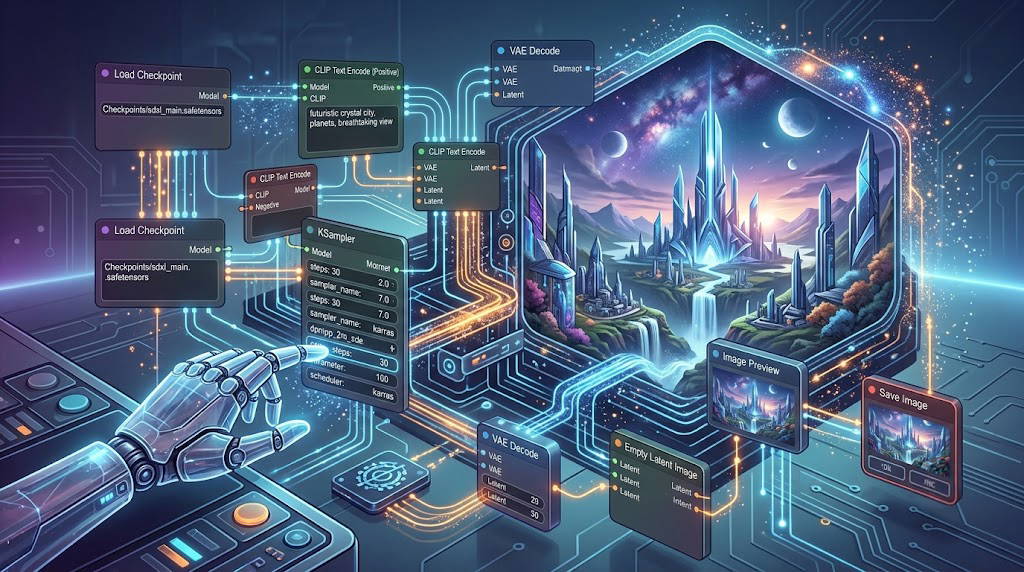
ConfyUI Basic
Duration
8 hours of remote training.
When
4 meetings of 2 hours each (balanced between explanation and assisted practice) on: September 1, 2026 at 9:00 PM CEST | September 3, 2026 at 9:00 PM CEST | September 8, 2026 at 9:00 PM CEST | September 10, 2026 at 9:00 PM CEST
Class
Max. 20 students
Price
49 € +
VAT
Course starts on September 1, 2026
In the world of Generative AI, most users rely on closed and prepackaged interfaces, hoping that the algorithm will guess the desired image. This course was created to make the definitive leap in quality: understanding how artificial intelligence thinks to take total control of it.
Through the study of ComfyUI, the most powerful and efficient nodal interface on the market, you will learn to break down and manage every single phase of the creative process. The course adopts a 100% "Vanilla" (Nativo)approach: we will work exclusively with the pre-installed ComfyUI tools and the professional SDXLmodel. This will ensure a deep understanding of the Stable Diffusion architecture and absolute stability of your workflows, without the risk of third-party updates blocking your work.
In just 4 vertical and practical lessons, you will go from a blank sheet of paper to the creation of a visual control ecosystem capable of combining text, reference images, and professional enlargement techniques.
At the end of the course, the student will be able to apply what they have learned to other artificial intelligence models and proactively and independently create new workflows and user experiences.
NB: the course will only start with a minimum of 8 participants.
Anyone who enrolls in all three levels of the ComfyUI courses in September (Basic/Intermediate/Advanced), before the start of the basic course (September 1st), can do so at the special and exclusive price of €139, instead of €162.
For information on paying for the 3 courses, write to info@biunivoca.com.
BY FOLLOWING THIS COURSE YOU WILL BE ABLE TO:
By the end of this 8-hour course, you will have developed complete operational autonomy on the fundamental flows of ComfyUI. Specifically, you will be able to:
🧠 Master the Pure Interface (Vanilla)
Navigate the canvas with ease: Saprai muoverti tra i nodi, organizzarli visivamente e tracciare i collegamenti senza creare confusione o "piatti di spaghetti" di cavi.
Clone workflows with one click: Simply drag a PNG image generated in ComfyUI into your canvas to dismantle, understand, and reuse the original logic diagram.
Resolve errors independently (Troubleshooting): You will be able to read the native console to instantly understand which cable is disconnected or which incorrect parameter is blocking your generation.
🎨 Generate from Scratch with Maximum Stability (Text-to-Image)
Exploit the native power of SDXL: You will know how to configure the flow to work at the standard resolution of 1024x1024, avoiding deformations and classic geometric artifacts.
Whisper to the AI (Effective Prompting): You will learn to manage the native syntax of weights
(keyword:1.2)to highlight a detail or shade another, also using the negative prompt correctly.Governing the KSampler: You will abandon the trial-and-error approach. You will know exactly how to balance Seed, Steps, CFG Scale, Sampler and Scheduler to get the highest visual quality in the shortest possible time.
🔄 Transform and Enlarge (Image-to-Image & Upscale)
Piloting Denoising: You will know how to transform an existing photo or a hand-drawn sketch into a new image, mathematically deciding how faithful to the original or how free to invent the AI should be.
High Definition Scaling: You will be able to apply native upscaling (both in latent space and per pixel) to enlarge your images while maintaining sharp details and ready for publishing or printing.
🎯 In short: Non sarai più un utente che "spera" in un buon risultato cliccando un tasto a caso, ma un utente consapevole che sa come si muovono i dati dentro Stable Diffusion e sa esattamente quale parametro toccare per correggere un'immagine.
ARE THERE ANY REQUIREMENTS OR PREREQUISITES FOR THE COURSE?
No previous knowledge of ComfyUI or programming is required. A PC with internet access and a dedicated NVIDIA graphics card with at least 6GB of VRAM is required.
TO WHOM THIS COURSE IS ADDRESSED:
Specifically, the course is aimed at four main profiles:
Digital Creatives, Designers and Illustrators
If you already use artificial intelligence but are tired of generating 100 images hoping that one is the right one, this course teaches you to impose your vision. Thanks to ControlNet and native LoRA, you will be able to maintain character consistency, decide the exact pose of the subjects and respect the perspective of your layouts or sketches.
Utenti "in fuga" da altre interfacce (Midjourney, Automatic1111, Fooocus)
It is perfect for those who feel limited by the rigidity of Midjourney or are frustrated by the confusion of Automatic1111. If you want an interface that does exactly what you decide, that is incredibly fast with SDXL and that doesn't break with every update, ComfyUI Vanilla is your promised land.
Absolute GenAI Beginners (but with serious intentions)
You don't need to have ever touched an AI software. Starting from scratch, the nodal approach will force you to understand the logic of image generation from minute one. It's like learning to drive directly with a manual transmission: at first it requires attention, but then you can drive anything.
Concept Artists and Visual Production Professionals
For those who work in agencies or in visual development and need repeatable workflows. You'll learn how to create workflows that you can endlessly reuse for your projects, simply dragging an old PNG file into the canvas to pick up right where you left off.
THE PROGRAM
1. Canvas Anatomy and Node Logic
Orientation in the workspace, cable connection rules and color codes of native flows. You will learn to manage metadata and clone other workflows with the simple Drag & Drop of PNG files.
2. The Text-to-Image Engine (SDXL)
Let's build the fundamental workflow from scratch. You will understand how the basic blocks talk to each other and how to correctly set the native resolution to 1024x1024 to avoid geometric artifacts and double heads.
3. The Art of KSampler and the Syntax of Prompts
Scientific study of the AI rendering engine: how to govern Seed, Steps CFG Scale. You'll learn the weighting syntax to emphasize keywords and the correct use of the negative prompt.
4. Visual Manipulation (Img2Img) and Upscaling
We'll abandon pure text to use real images as a starting point. You'll learn how to manage Denoising to decide how faithful the AI should be to the original and apply native upscaling to cleanly enlarge details.