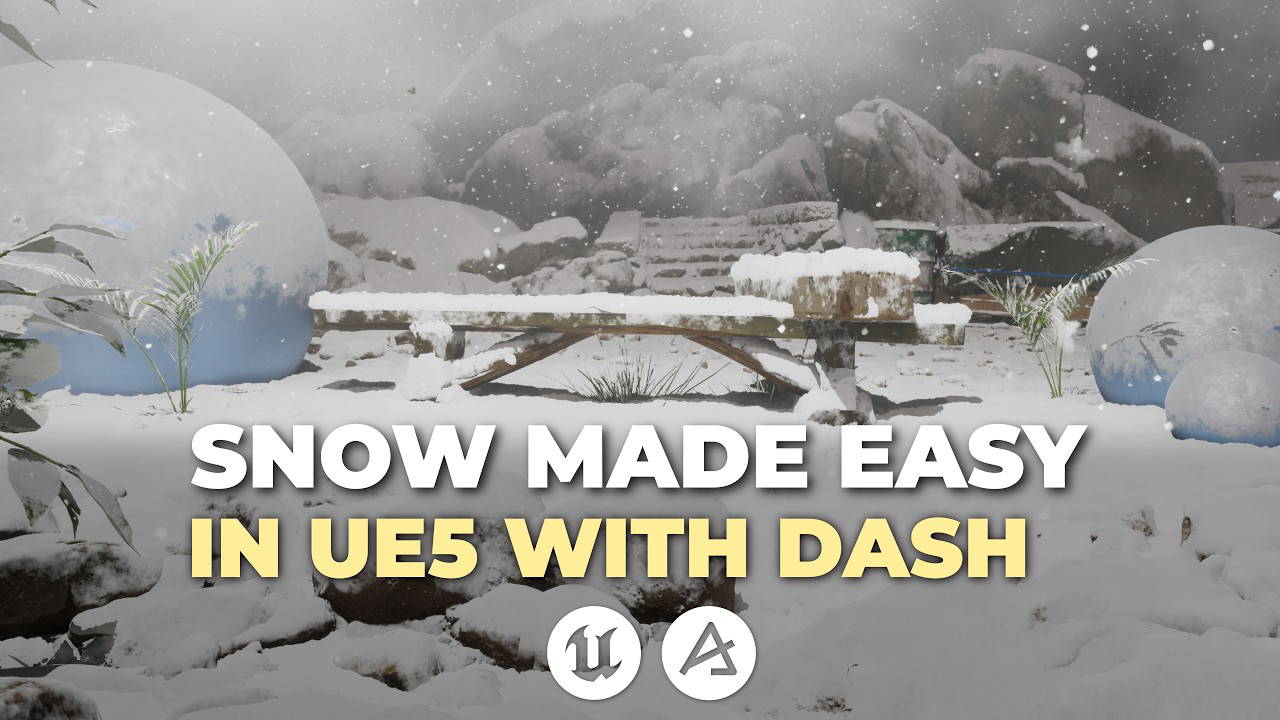
Unreal Engine 5: How to create realistic snowy environments using DASH
Dash has published a new tutorial dedicated to creating snow scenes in Unreal Engine 5, showing how to combine materials, geometry, and atmospheric effects to transform a 3D environment into a believable winter landscape.
Snow is one of the most evocative environmental elements to create in a 3D project, but achieving a convincing result requires more than simply changing the colors of the materials.
To recreate a realistic winter landscape, you need to work on several aspects, from the accumulation of snow on surfaces to the snowfall and atmospheric effects that characterize the environment.
How do you build a snow scene?
To achieve an effective result in Unreal Engine 5, it is important to combine three fundamental elements: the snow on objects, the ground coverage, and the particles that simulate falling flakes.
1. Snow on objects: materials and geometry
Rocks, trees, vegetation, and other elements in the scene must have a snow accumulation consistent with their shape.
By creating custom materials, you can control where the snow settles, simulating a layer that covers the surfaces and changes their appearance. Techniques like displacement can help give greater thickness to the coverage, avoiding the artificial effect of a simple white texture.
The quality of the geometry also plays an important role: detailed surfaces and well-made materials help achieve more convincing results, especially when the scene is illuminated by direct or diffuse light sources.
2. A snow-covered terrain
The landscape requires a specific approach.
The snow must integrate with the terrain, following its morphology and creating a natural transition between the different surfaces.
In Unreal Engine 5, multi-layered materials allow you to combine earth, rock, grass, and snow, adjusting the distribution of each element.
For example, you can make snow cover more visible in exposed areas or on upward-facing surfaces.
The result depends on the correct management of masks, blending parameters, and terrain characteristics. The goal is to avoid a uniform and unreliable distribution, favoring an accumulation that follows the shape of the landscape.
3. Dynamic snowfall and atmospheric effects
A snowy scene is not defined only by what settles on the surfaces. Moving snow also contributes significantly to the perception of the environment.
Using particle systems, it is possible to simulate flakes falling at different speeds, sizes, and densities. These parameters allow you to represent different atmospheric conditions, from a light snowfall to a more intense blizzard.
Fog, mist, and volumetric lighting can complement the effect, increasing the sense of depth and helping define the scene's atmosphere.
The Role of Asset Quality
The final result also depends on the quality of the assets used. High-resolution textures, well-defined geometry, and refined materials offer a better basis for simulating snow accumulation and its interaction with light.
It's equally important to maintain a balance between visual detail and performance. In complex environments, such as forests, mountains, or large explorable environments, managing geometric and material complexity can make a difference, especially when the project is intended for real-time visualization.
Technologies like Nanite can help manage highly detailed geometry, but they don't replace the need to properly design materials, shaders, and snow distribution systems.
An increasingly accessible workflow
Creating realistic winter environments has for years required a significant amount of manual work, including custom materials, particle systems, and specific adjustments for each element of the scene.
Unreal Engine 5's modern workflows allow these operations to be organized more flexibly, giving artists greater control over the results and the ability to reuse solutions and parameters in different environments.
The fundamental principle, however, remains unchanged: a believable snow scene is born from the combination of accumulation, thickness, distribution, and movement, not from the simple application of a white material.
Conclusions
Dash's new tutorial is a good way to delve into one of the most interesting aspects of creating environments in Unreal Engine 5: the construction of natural effects capable of completely transforming the perception of a scene.
Whether you're working on an architectural project, a video game, or a 3D visualization, integrating realistic materials, thoughtful terrain coverage, and consistent weather effects allows for more immersive and convincing winter environments.
For those working with Unreal Engine 5, mastering these techniques expands your creative possibilities and improves the visual quality of your projects.
Latest posts

The Game Awards 2026: the candidates have been announced, the anticipation for the night of video games is growing
The Game Awards 2026 returns on December 10th: nominations, great productions and exclusive announcements to celebrate the best of the gaming industry.
Free FAB resources - until 1 December 2026
New assets available for free on FAB, available until December 1, 2026

Our participation in the 37th edition of Romics
From 1 to 4 October 2026, Biunivoca, together with its partners NewArk Digital School and ITS Academy Lazio Digital, participated in the 37th edition of Romics, presenting its training offer and courses dedicated to training.